
Trello Tips and Tricks: How to Streamline Your Task Management Process
Trello has become an indispensable tool in the modern landscape of task management, a visual and intuitive platform that transforms the often-daunting process of project organization into an engaging and highly efficient experience. At its core, Trello operates on the Kanban system, using boards, lists, and cards to visually represent workflows. Each board typically represents a project or a significant area of work, within which lists define different stages of a tasktask—perhaps “To Do,” “Doing,” and “Done.”ividual tasks are then encapsulated as cards, which can be moved seamlessly between lists as they progress. This simple yet powerful structure provides a clear, at-a-glance overview of project status, allowing users to quickly grasp what needs to be done, what’s in progress, and what has been completed. The beauty of Trello lies in its flexibility; it can be adapted to manage anything from complex software development cycles to personal grocery lists, making it a versatile asset for individuals and teams alike.
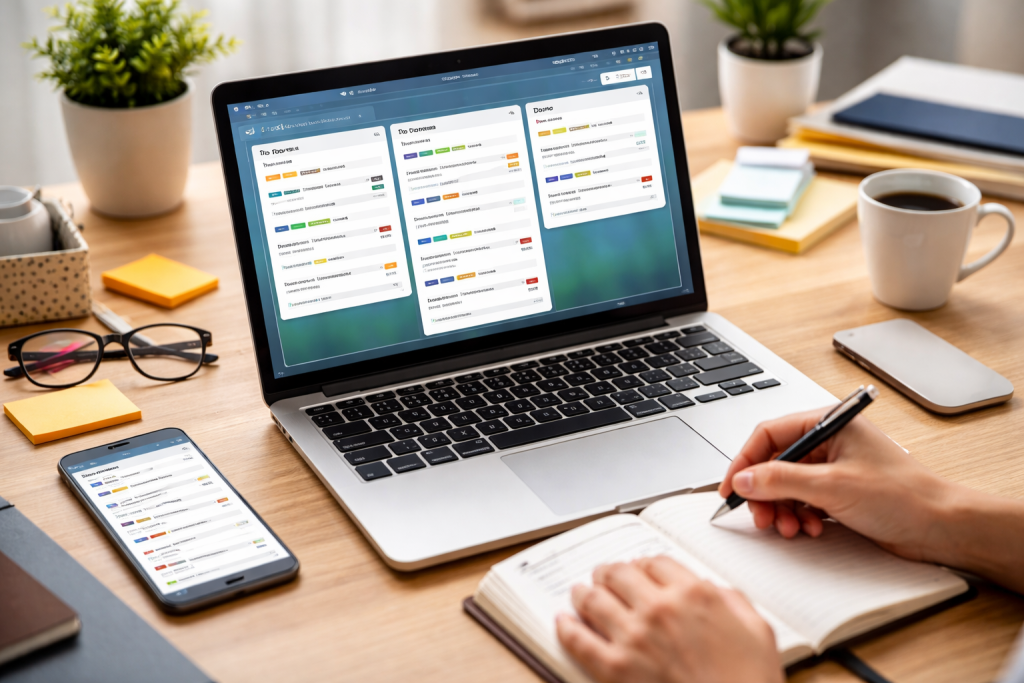
Efficient task management is the cornerstone of productivity, and Trello offers a plethora of features designed to help users organise and prioritise their workloadss effectively. Simply creating cards is just the beginning; unlocking Trello’s full potential requires leveraging its organisational tools to add clarity and structure to your projects.
Contents
- 1 Structured Board Layouts for Clarity
- 2 Leveraging Labels for Quick Identification
- 3 Due Dates and Reminders for Timely Completion
- 4 Harnessing the Power of Checklists
- 5 Assigning Members to Cards for Clear Ownership
- 6 Engaging in Card Comments for Discussion
- 7 Leveraging the Activity Log for Transparency
- 8 Power-Ups for Extended Functionality
- 9 Connecting with Communication Platforms
- 10 Linking to File Storage and Project Management Software
- 11 Backgrounds and Stickers for Personalization
- 12 Card Covers for Visual Impact
- 13 Archiving and Deleting for Board Maintenance
- 14 Mastering Keyboard Shortcuts
- 15 Leveraging Mobile App Features for On-the-Go Management
- 16 Addressing Board Clutter and Overwhelm
- 17 Ensuring Consistent Team Usage
- 18 Optimizing Notification Settings
Structured Board Layouts for Clarity
The way you structure your board can dramatically impact its effectiveness. Instead of a single, sprawling “To Do” list, consider breaking down your workflow into logical stages. For instance, a content creation board might have lists for “Brainstorming”, “Drafting”, “Review”, “Editing”, and “Published”. This sequential flow provides a visual progression and helps team members quickly identify where a task stands. For more complex projects, you might even consider creating separate boards for different phases or subprojects. The key is to find a layout that intuitively represents your specific workflow and reduces cognitive load.
Leveraging Labels for Quick Identification
Coloured Trello labels are incredibly powerful tools for categorisation and prioritisation. Each card can be assigned multiple colour labels, allowing for quick visual cues. You can use labels to denote priority levels (e.g., red for urgent, yellow for high), task types (e.g., green for marketing, blue for development), or even team members if you prefer a different assignment method. The benefit of labels is their instant visibility, enabling you to scan a board and immediately grasp critical task attributes without having to look up each card’s details. Consistent label usage across your boards ensures uniformity and understanding within your team.
Due Dates and Reminders for Timely Completion
customised Even the most well-laid plans can be derailed by missing deadlines. Trello’s due date feature is essential for ensuring tasks are completed on time. Assigning a due date to each card creates a clear target for completion, which is displayed prominently on the card itself. Even more advantageously, Trello has the ability to send reminders prior to a due date, either to the designated member or the entire board, thereby preventing tasks from being overlooked. These reminders can be customised in terms of time, offering flexibility to suit various urgency levels. Regularly reviewing due dates and adjusting them as project priorities shift is a vital practice for maintaining an accurate and actionable board.
Harnessing the Power of Checklists
For tasks that involve multiple steps, the checklist feature within a Trello card is invaluable. Breaking down a large task into smaller, manageable sub-tasks makes it less daunting and provides a clear path to completion. Each item on the checklist can be ticked off as it’s finished, offering a satisfying sense of progress and making it easy to track the percentage of completion for the main card. Checklists are particularly effective for repeatable processes, where you can even copy checklists from previous cards to new ones, ensuring consistency and saving time.
Trello excels as a collaborative platform, fostering seamless communication and teamwork within a shared project space. Trello’s features aim to ensure everyone’s alignment and promote effective teamwork.
Assigning Members to Cards for Clear Ownership
Clarity of responsibility is paramount in team-based projects. Trello allows you to assign one or more members to a specific card, making it instantly clear who is responsible for completing that particular task. Assigned members receive notifications about changes to the card, ensuring they stay informed about its status and any new developments. This direct assignment feature eliminates ambiguity and promotes accountability, as everyone knows exactly who is doing what.
Engaging in Card Comments for Discussion
The comment section within each Trello card serves as a central hub for all discussions related to that specific task. The card consolidates all communication, questions, updates, and feedback, eliminating the need for scattered email threads or instant messages. To direct specific questions or draw attention to a particular point, members can @mention other team members, ensuring the notification of relevant individuals. This contextual communication greatly reduces miscommunication and provides a complete historical record of discussions, making it easy for anyone to catch up on the task’s evolution.
Leveraging the Activity Log for Transparency
The activity log records every action taken on a Trello board or card – from creating a card to moving it between lists, adding comments, or changing due dates. This comprehensive, time-stamped history provides complete transparency, allowing any team member to see who did what and when. The activity log is invaluable for auditing progress, understanding the sequence of events, and quickly identifying any changes or issues that may have occurred. It fosters trust and accountability within the team by making all actions visible and traceable.
Trello’s open API and robust ecosystem of power-ups and integrations mean it can be extended far beyond its core functionality, connecting seamlessly with other essential tools to create a more powerful and integrated workflow.
Power-Ups for Extended Functionality
Prioritising Trello’s power-ups are essentially mini-applications that you can enable on your boards to add new features and connect with other services. There’s a power-up for almost anything you can imagine. For example, the Calendar power-up allows you to view your cards with due dates on a calendar, providing a different perspective on your workload and deadlines. The Voting power-up enables team members to vote on cards, which is useful for prioritising ideas or making collective decisions. Other popular power-ups include Custom Fields, Package Tracker, and Card Repeater, each offering a unique way to enhance your Trello experience.
Connecting with Communication Platforms
real time. Streamlining communication flow is crucial, and Trello integrates well with popular communication platforms like Slack and Microsoft Teams. These integrations allow you to receive notifications about Trello activity directly within your chat channels, such as when a card is moved, commented on, or assigned. You can also create Trello cards directly from messages in these platforms, ensuring that ideas and requests are quickly captured and actionable. This connectivity reduces the need to switch between applications, keeping team members informed and engaged in real time.
Linking to File Storage and Project Management Software
synchronised For teams that rely on cloud storage, Trello integrates with services like Google Drive, Dropbox, and OneDrive. You can attach files directly from these services to Trello cards, ensuring that all relevant documents are easily accessible alongside the task itself. This eliminates the hassle of searching for files in separate locations. Furthermore, for organisations using more complex project management software, Trello often offers integrations that allow synchronised task management, where certain actions in one tool can trigger updates in the other, creating a holistic view of project progress.
Personalisation: Tailoring Trello to your specific needs can significantly boost its effectiveness, and the platform offers a wealth of customisation options to personalise your task management experience.
Backgrounds and Stickers for Personalization
While seemingly superficial, customising your Trello board’s background and adding stickers can make your workspace more engaging and enjoyable. A visually appealing board can positively impact morale and make task management feel less like a chore. You can choose from a vast library of background images or even upload your own, reflecting your brand or personal preferences. Stickers, on the other hand, can be used as additional visual cues, adding a touch of personality or highlighting specific card attributes in a more playful way than labels.
Card Covers for Visual Impact
Card covers allow you to add an image or a solid colour to the top of the card, making it stand out and providing an immediate visual reference. This is particularly useful for cards that represent key deliverables, important documents, or require immediate attention. An attractive image can make a card more inviting, and a specific colour can serve as another layer of categorisation or a priority indication beyond traditional labels.
Archiving and Deleting for Board Maintenance
Over time, boards can become cluttered with completed or irrelevant cards. Trello provides clear options for maintaining a clean, organised workspace. Archiving a card removes it from the active view but preserves it for future reference, allowing you to easily retrieve it if needed. Deleting a card, on the other hand, permanently removes it from the board. Regularly archiving completed tasks or cleaning up outdated information ensures that your board remains focused on current priorities and prevents visual overload.
Efficiency in task management isn’t just about good organization; it’s also about speed. Trello offers numerous shortcuts and mobile app features designed to accelerate your workflow.
Mastering Keyboard Shortcuts
For desktop users, keyboard shortcuts significantly enhance their productivity. These brief commands allow you to perform common actions much faster than navigating with a mouse. For example, pressing ‘Q’ will show only cards assigned to you, ‘C’ will archive a card, ‘D’ will add a due date, and ‘M’ will assign a member. Learning a handful of these shortcuts can dramatically reduce the time spent on tedious administrative tasks, allowing you to focus more on the work itself. Trello provides a helpful shortcut key (press ‘?’) that brings up a complete list of all available shortcuts, encouraging users to explore and integrate them into their daily routine.
Leveraging Mobile App Features for On-the-Go Management
The Trello mobile app is incredibly powerful, enabling you to manage your tasks effectively even when you’re away from your desk. Its intuitive interface provides a streamlined experience for viewing boards, creating new cards, adding comments, and updating task statuses. Push notifications ensure you’re immediately aware of any changes or assignments that require your attention. The ability to quickly capture ideas on the go, update progress during a meeting, or check project status from anywhere makes the mobile app an essential companion for maintaining productivity and staying connected to your team.
Even with the best tools, issues can arise. Understanding common Trello challenges and adopting best practices can ensure a smooth and productive task management experience.
Addressing Board Clutter and Overwhelm
One of the most common issues users face is a cluttered Trello board, leading to feelings of overwhelm. The solution often lies in regular maintenance. Regularly archive completed cards, move less urgent tasks to a “Backlog” or “Someday” list, and consider breaking down large projects into smaller, more manageable boards. Employing clear naming conventions for cards and lists also helps reduce “visual noise.” Sometimes, simplifying your workflow by reducing the number of lists or labels can bring much-needed clarity.
Ensuring Consistent Team Usage
Trello is most effective when the entire team uses it consistently. A challenge can be getting everyone on board and ensuring they adhere to the agreed-upon workflow. This often requires clear communication of expectations, perhaps even a short training session to demonstrate best practices and the benefits of consistent usage. Establishing a “Trello etiquette” document that outlines how cards should be created, updated, and commented on can be incredibly helpful. Regular check-ins to ensure everyone is using the platform effectively and addressing any individual pain points can reinforce adoption and maintain consistency.
Optimizing Notification Settings
While notifications are essential for staying informed, an excessive number can lead to notification fatigue. Users can customise their notification settings in Trello, selecting the types of activities they wish to receive alerts about and the frequency of these alerts. Encourage team members to adjust their settings so they receive only the most relevant notifications, preventing information overload and ensuring that important updates don’t get lost in a sea of less critical alerts. Striking the right balance is key to staying informed without being constantly interrupted.

Our mission is to assist students, beginners, and professionals in learning more effectively, developing practical skills, and enhancing their confidence in today’s digital world.