
Getting Started in Graphic Design: Essential Principles and Techniques
Embarking on a journey into the world of graphic design can be both exhilarating and daunting. This creative field, vital in today’s visually driven landscape, offers endless opportunities for expression and problem-solving. From crafting compelling brand identities to designing engaging user interfaces, the foundational principles and techniques remain constant, guiding designers towards impactful and meaningful work. Understanding these basics is the bedrock upon which any successful design career is built.
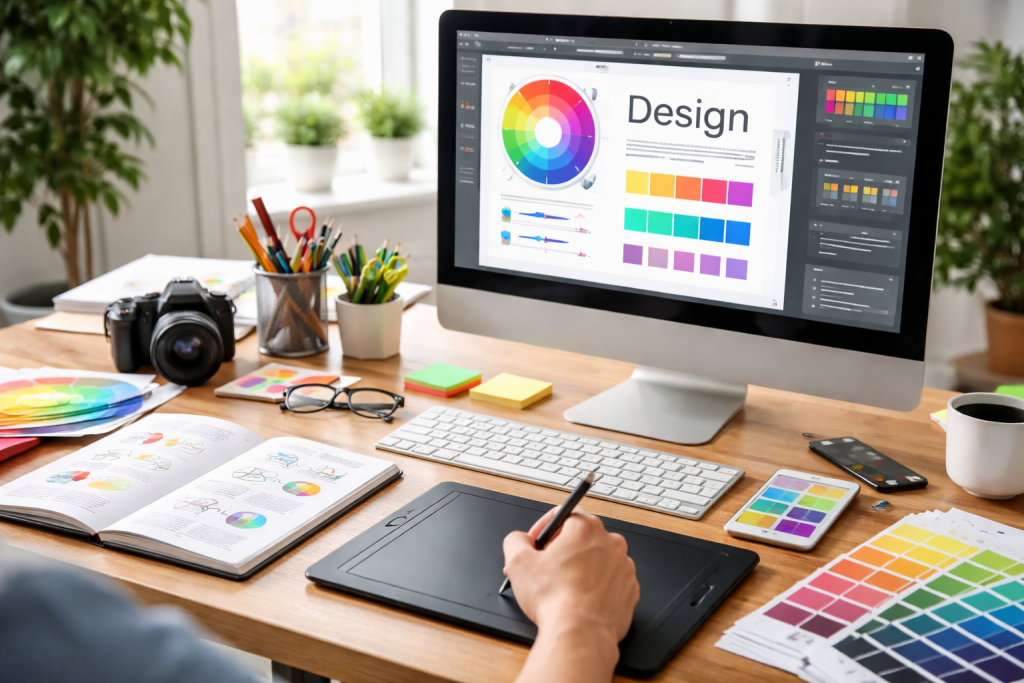
At its core, graphic design is about visual communication. It’s the art of conveying messages and ideas through images, typography, and layout. This involves a thoughtful blend of aesthetics and functionality, ensuring that a design not only looks good but also effectively fulfils its purpose. Before diving into complex projects, grasping the fundamental elements that constitute every design is crucial.
Contents
- 1 Elements of Design
- 2 Principles of Design
- 3 Clarity and Readability
- 4 Consistency and Brand Identity
- 5 Target Audience Consideration
- 6 Layout and Composition
- 7 Typography and Type Design
- 8 Illustration and Iconography
- 9 Industry-Standard Software
- 10 Other Useful Tools
- 11 Embrace Simplicity and Clarity
- 12 Utilize Visual Hierarchy Effectively
- 13 Seek Feedback and Iterate
- 14 Stay Current with Trends (but don’t be a slave to them)
- 15 Curate Your Best Work
- 16 Show Your Process, Not Just the Final Product
- 17 Tailor Your Portfolio to Your Goals
- 18 Online Courses and Tutorials
- 19 Design Blogs and Publications
- 20 Books on Design Theory and Practice
- 21 Design Communities and Networking Events
Elements of Design
Every visual creation, no matter how simple or intricate, is composed of a finite set of fundamental elements. These are the building blocks that designers manipulate to achieve their desired visual outcome.
- Line: Often the starting point for any design, lines define shapes, create pathways for the eye, and establish a sense of dynamism or stillness. They can be straight, curved, thick, thin, or dashed – each variation conveying a different mood or direction.
- Shape: Formed by enclosed lines, shapes are fundamental to creating visual structure. Geometric shapes (squares, circles, and triangles) evoke order and precision, while organic shapes (found in nature) tend to be more fluid and expressive.
- Form: This refers to the three-dimensional aspect of a shape, suggesting depth and volume. While graphic design often works in two dimensions, understanding form helps in creating illusions of depth and realism.
- Space: The area around and between design elements is as important as the elements themselves. Positive space houses the main subjects, while negative space (or white space) provides breathing room, defines objects, and contributes to clarity and visual hierarchy.
- Colour: A powerful tool for evoking emotion, creating contrast, and establishing visual hierarchy. Understanding colour theory – including hue, saturation, and value – is essential for making informed choices that resonate with the target audience and brand message.
- Texture: The perceived surface quality of an object. While often simulated in digital design, texture adds tactile interest and depth, making a design feel more real and engaging.
- Typography: The art and technique of arranging type to make written language legible, readable, and appealing when displayed. Choosing the right font, size, leading, kerning, and tracking can significantly impact the message’s reception and overall aesthetic.
Principles of Design
Once the individual elements are understood, the next step is learning how to arrange them effectively. Design principles are the rules and guidelines that govern how elements are organised and composed to create visually appealing and functional designs.
- Balance: Achieving visual equilibrium in a design. Symmetrical balance creates a sense of order and formality, while asymmetrical balance offers dynamic interest without feeling lopsided.
- Contrast: The differences between elements, such as light and dark, large and small, and smooth and rough. Contrast enhances visual interest, creates emphasis, and improves readability.
- Emphasis: Guiding the viewer’s eye to the most important parts of a design. This can be achieved through size, colour, isolation, or placement, creating a focal point.
- Movement: The way the viewer’s eye is directed through the design. This can be created by lines, shapes, and the arrangement of elements, leading them from one point to another.
- Pattern: The repetition of design elements, which can create rhythm, structure, and visual interest.
- Rhythm: The flow and movement created by repeating elements, often with variations, akin to rhythm in music.
- Unity/Harmony: The sense that all elements in a design belong together, creating a cohesive and complete whole.
- Proportion/Scale: The relative size of elements in a design. Proportion helps create a sense of realism or exaggeration, while scale establishes relationships between objects.
- Hierarchy: The arrangement of design elements to indicate their importance. This directs the viewer’s attention and helps them understand the information presented in a logical order.
Moving beyond the fundamental building blocks, effective graphic design hinges on translating these elements and principles into compelling visuals that achieve specific communication goals. It’s about designing with purpose and clarity.
Clarity and Readability
Ultimately, if a design cannot be easily understood, it has failed in its primary objective. Clarity applies to both visuals and text. For typography, this means selecting legible fonts, ensuring appropriate line spacing, and maintaining sufficient contrast between text and background. For imagery, it means using clear, high-resolution visuals that directly support the message without ambiguity.
Consistency and Brand Identity
In branding especially, consistency is paramount. A brand’s visual identity – its logo, colour palette, typography, and imagery – should remain uniform across all platforms and touchpoints. This consistent application builds recognition, trust, and a strong brand personality in the minds of the target audience. Deviations can lead to confusion and dilute brand equity.
Target Audience Consideration
Every design project is created for a specific audience. Understanding their demographics, psychographics, preferences, and cultural background is crucial for creating designs that resonate. A design for a children’s book will be vastly different from one for a corporate annual report. Empathy for the end-user is a cornerstone of effective design.
Graphic design is not a monolithic field; it encompasses a diverse range of specialisations and techniques, each with its own set of challenges and creative possibilities. Aspiring designers often find their niche by exploring these various avenues.
Layout and Composition
The arrangement of visual elements on a page or screen is fundamental. Techniques such as grid systems provide structured frameworks for organising content, ensuring alignment, balance, and visual hierarchy. Understanding the rule of thirds, golden ratio, and Gestalt principles (how humans perceive visual information) is invaluable for creating impactful compositions. This often involves careful consideration of proximity, similarity, continuity, and closure to guide the viewer’s eye and promote understanding.
Typography and Type Design
Beyond just choosing a font, typography involves understanding how different typefaces communicate, setting appropriate leading and kerning, and pairing fonts effectively to create visual interest and clear hierarchy. Some designers specialise in type design, creating entirely new typefaces, a complex craft that combines artistic vision with meticulous technical execution. The emotional impact of a serif versus a sans-serif, or a script versus a display font, can drastically alter a message’s tone.
Illustration and Iconography
Integrating custom illustrations or icons can imbue a design with unique personality and convey complex ideas concisely. Whether hand-drawn, vector-based, or digitally painted, illustrations add a distinctive visual flair. Iconography, in particular, focuses on creating simple, universally understood symbols that enhance usability and streamline communication, especially in user interfaces and infographics.
The digital age has revolutionised graphic design, making sophisticated tools accessible to a broader audience. Proficiency in industry-standard software is often a prerequisite for professional practice.
Industry-Standard Software
Adobe Creative Cloud is the undisputed leader in graphic design software, offering a powerful suite of applications tailored for various design tasks.
- Adobe Photoshop: Primarily a raster-based image editor, Photoshop is indispensable for photo manipulation, retouching, compositing, and creating digital paintings. Its layer-based workflow allows for non-destructive editing and immense creative flexibility.
- Adobe Illustrator: A vector-based program, Illustrator is ideal for creating logos, icons, illustrations, typography, and other scalable graphics that retain their quality at any size. Its precision tools are perfect for crisp lines and defined shapes.
- Adobe InDesign: The industry standard for page layout, InDesign is used for designing multi-page documents such as brochures, magazines, books, and interactive PDFs. It provides robust tools for text formatting, image placement, and intricate layout control.
Other Useful Tools
Beyond Adobe, a growing ecosystem of alternative and specialised tools caters to different needs and budgets.
- Figma/Sketch/Adobe XD: These are leading tools for UI/UX design, enabling designers to create wireframes, prototypes, and design systems for web and mobile applications. They emphasise collaboration and component-based design.
- Canva: An accessible online design tool, Canva empowers non-designers and small businesses to create professional-looking graphics quickly using templates and a drag-and-drop interface.
- Procreate: A powerful drawing and painting app for iPad, popular among illustrators for its intuitive interface and extensive brush library.
- Blender/Cinema 4D: For those venturing into 3D graphic design, these software packages offer comprehensive tools for 3D modelling, rendering, and animation.
Creating designs that truly stand out and achieve their objectives requires more than just technical skill; it demands a critical eye, strategic thinking, and a willingness to iterate.
Embrace Simplicity and Clarity
Often, less is more. Overloading a design with too many elements, colours, or fonts can lead to visual clutter and confusion. Strive for simplicity, focusing on the core message and removing anything that doesn’t contribute to it. A clean, uncluttered design is almost always more impactful.
Utilize Visual Hierarchy Effectively
Guide your audience’s eye through the design in a logical and engaging way. Use size, colour, contrast, and placement to emphasise key information and create a clear path for the viewer to follow. A well-defined hierarchy ensures that the most important message is seen first and understood easily.
Seek Feedback and Iterate
Design is rarely perfect on the first attempt. Actively seek constructive criticism from peers, mentors, or target users. Be open to feedback and use it to refine and improve your designs. Iteration is a fundamental part of the design process, leading to stronger, more effective solutions.
Stay Current with Trends (but don’t be a slave to them)
While awareness of current design trends is beneficial for keeping work fresh and relevant, it’s equally important not to merely replicate them without critical thought. Understand why a trend is popular and adapt its principles in a way that truly serves your specific design goals and client needs, rather than just following the crowd. Develop your own unique voice within these evolving visual languages.
A portfolio is the cornerstone of any graphic designer’s career, showcasing their skills, style, and problem-solving abilities to potential clients or employers. It’s an evolving collection of your best work, telling your design story.
Curate Your Best Work
Quality over quantity is a golden rule. Select only your strongest and most relevant projects. Aim for a diverse representation of your skills, including different types of projects (branding, web design, print, illustration), and showcase your versatility. Each project should have a clear purpose and demonstrate your design process.
Show Your Process, Not Just the Final Product
For each portfolio piece, go beyond just presenting the finished design. Include case studies that explain the problem you were trying to solve, your research, initial sketches, iterations, and the reasoning behind your design decisions. This demonstrates your critical thinking and problem-solving skills, which are highly valued in the industry.
Tailor Your Portfolio to Your Goals
If you’re aiming for a specific type of design role (e.g., UI designer, brand identity specialist), ensure your portfolio prominently features projects relevant to that specialisation. Customise your portfolio for different opportunities, highlighting the work that best aligns with the prospective role or client.
The field of graphic design is constantly evolving, making continuous learning an absolute necessity. A wealth of resources exists to help designers hone their skills and stay informed.
Online Courses and Tutorials
Platforms like Coursera, Skillshare, Udemy, and LinkedIn Learning offer structured courses taught by industry professionals, covering everything from design basics to advanced software techniques. YouTube is also an invaluable free resource for countless tutorials on specific tools or design challenges.
Design Blogs and Publications
Staying informed about current trends, industry news, and design thought leadership is Crucial. Websites like AIGA Eye on Design, Communication Arts, The Dieline, Smashing Magazine, and Brand New provide insightful articles, case studies, and inspiration from the design world.
Books on Design Theory and Practice
Investing in foundational design literature can provide a deeper understanding of historical context, theoretical principles, and enduring best practices. Classics like “Grid Systems in Graphic Design” by Josef Müller-Brockmann, “Thinking with Type” by Ellen Lupton, and “Don’t Make Me Think” by Steve Krug offer timeless wisdom for aspiring and experienced designers alike.
Design Communities and Networking Events
Joining online design communities (e.g., Behance, Dribbble, Reddit’s r/graphic_design) allows for sharing work, receiving feedback, and connecting with peers. Attending local design meetups, conferences, or workshops provides opportunities for networking, learning from experts, and discovering new trends. Engaging with the wider design community fosters both professional growth and personal inspiration.

Our mission is to assist students, beginners, and professionals in learning more effectively, developing practical skills, and enhancing their confidence in today’s digital world.