
Stay Safe and Secure: Expert Strategies for Safeguarding Your Online Accounts
In today’s interconnected world, our digital lives are as integral to our existence as our physical ones. We engage in a significant portion of our daily activities online, from banking and communication to social interaction and work. This pervasive digital presence, while offering unparalleled convenience, also exposes us to a multitude of risks. Safeguarding our online accounts has transitioned from a mere recommendation to an absolute necessity. A lapse in online security can have far-reaching consequences, from financial loss and identity theft to reputational damage and personal distress. Fortunately, with the right knowledge and consistent practices, we can significantly strengthen our defences and navigate the digital landscape with greater peace of mind. This comprehensive guide will equip you with expert strategies to ensure your online accounts remain safe and secure.
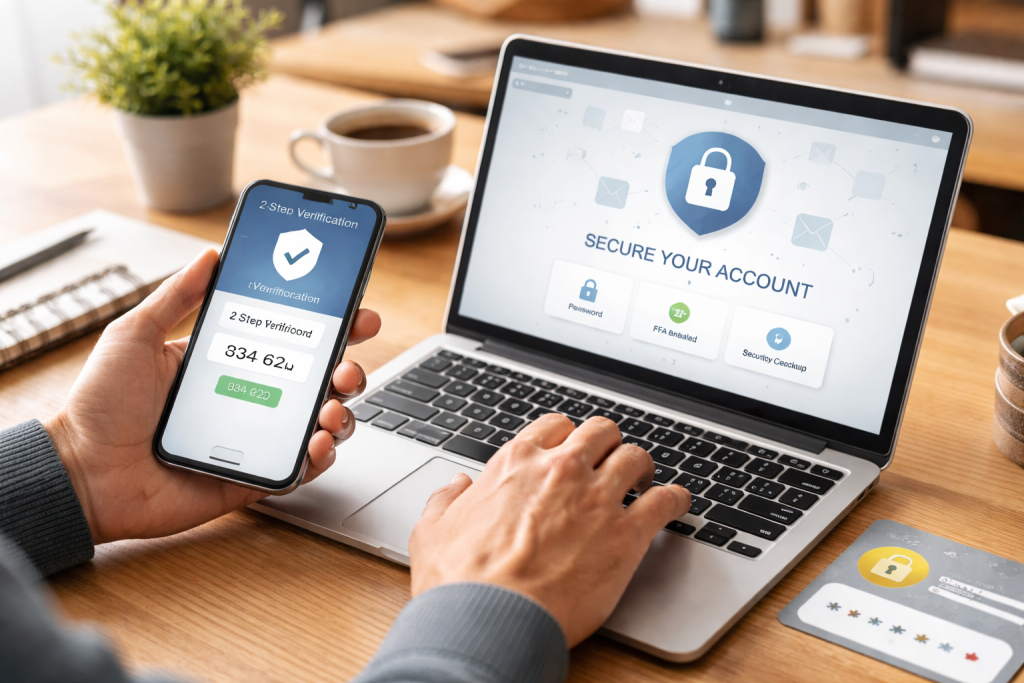
The digital realm is a dynamic ecosystem, and malicious actors are constantly evolving their tactics to exploit vulnerabilities. A fundamental understanding of these common threats is the first step toward building robust defences. Cybercriminals employ a variety of methods, each with its own modus operandi, to gain unauthorised access to your valuable online assets.
Contents
- 1 The Pervasive Menace of Malware
- 2 The Deceptive Art of Social Engineering
- 3 The Stealthy Infiltration of Brute-Force and Dictionary Attacks
- 4 The Unseen Threat of Keyloggers
- 5 The Growing Concern of Account Takeovers
- 6 The Pillars of a Robust Password Strategy
- 7 Avoiding the Pitfalls of Predictability
- 8 The Power of Passphrases and Password Managers
- 9 The Layered Approach to Verification
- 10 Common Implementations of Two-Factor Authentication
- 11 The Unwavering Importance of Enabling 2FA
- 12 Decoding the Deception: Common Phishing Tactics
- 13 The Tell-Tale Signs of a Spoofed Message
- 14 Your Defense Mechanism: Trust but Verify
- 15 Navigating the Labyrinth of Social Media and Service Settings
- 16 The Granularity of Information Sharing
- 17 The Power of Restricted Sharing and Timely Cleanup
- 18 The Importance of Operating System and Browser Updates
- 19 Application Security: A Multi-Layered Approach
- 20 Beyond the Screen: Network Device Security
- 21 The Signals of Compromise: What to Look For
- 22 Transactional Anomalies and Communication Disruptions
- 23 Responding Swiftly to Suspicious Activity
The Pervasive Menace of Malware
Malware, short for malicious software, is a broad category encompassing viruses, worms, Trojans, ransomware, and spyware. These programs are designed to infiltrate your devices, steal data, disrupt operations, or hold your information hostage. They can spread through infected email attachments, malicious websites, pirated software downloads, or even compromised Wi-Fi networks. Once installed, malware can silently operate in the background, capturing your keystrokes, including your precious login credentials, or encrypting your files for ransom.
The Deceptive Art of Social Engineering
Social engineering is a psychological manipulation tactic that exploits human trust and error to trick individuals into divulging confidential information or performing actions that compromise their security. Phishing emails, a prime example, impersonate legitimate organisations or individuals to solicit sensitive data. Vishing, or voice phishing, uses phone calls to achieve the same goal, while smishing utilises text messages. These attacks often create a sense of urgency or fear, compelling victims to act without proper verification.
The Stealthy Infiltration of Brute-Force and Dictionary Attacks
These attacks involve systematic attempts to guess your password. Brute-force attacks try every possible combination of characters, while dictionary attacks use a list of common words and phrases. While often time-consuming, these methods can be effective against weak or predictable passwords, especially if unattended accounts are targeted repeatedly.
The Unseen Threat of Keyloggers
Keyloggers are software or hardware programs that record every keystroke a user makes on a keyboard. This information is then transmitted to the attacker, who can glean passwords, credit card numbers, and other sensitive data. They can be installed through malware or by physically accessing your device.
The Growing Concern of Account Takeovers
This refers to the unauthorised access and control of an existing online account. Attackers achieve this through a variety of means, including the aforementioned malware and social engineering, as well as exploiting credential stuffing (using stolen passwords from one breach to attempt logins on other sites) and weak password practices. Once an account is compromised, attackers can use it for their own nefarious purposes, such as making fraudulent purchases, sending spam, or spreading further malware.
Your password is often the primary gatekeeper to your online accounts. Consequently, its strength and uniqueness are paramount to your security. A weak password is akin to leaving your front door unlocked, inviting trouble. The goal is to make it exceedingly difficult for attackers to guess or crack.
The Pillars of a Robust Password Strategy
Crafting a strong password involves several key principles. Firstly, length is a virtue. Aim for passwords that are at least 12 to 15 characters long, and ideally even longer. Each additional character exponentially increases the number of possible combinations an attacker would need to test. Secondly, complexity is king. Combine a mix of uppercase and lowercase letters, numbers, and symbols. The greater the variety, the harder it is to break. Avoid sequential characters (like “abc123”) or common patterns.
Avoiding the Pitfalls of Predictability
Many people fall into traps by using easily guessable information. Personal details are a no-go. This includes your name, birthday, pet’s name, or significant dates. Attackers often have access to this information through social media or data breaches. Common words and phrases are also highly vulnerable. Forget “password”, “123456”, or simple dictionary words. Even adding a number or symbol to the end of a common word doesn’t make it secure.
The Power of Passphrases and Password Managers
For enhanced security and memorability, consider using passphrases. These are sentences or sequences of unrelated words that are easy to remember but difficult to guess. For example, “MyPurpleElephantJumpsOverTheTallGreenTree!” is far more secure than “MyElephant123”. To manage a multitude of strong and unique passwords for all your accounts, password managers are indispensable tools. These encrypted applications generate and store complex passwords for you, requiring you to only remember one master password. This eliminates the temptation to reuse passwords across different platforms, a common and dangerous practice.
Two-factor authentication, often abbreviated as 2FA or MFA (Multi-Factor Authentication), represents a significant upgrade in online security. It moves beyond the single point of failure that a password alone represents by requiring users to provide two or more distinct forms of verification to gain access to their accounts.
The Layered Approach to Verification
Think of 2FA as adding a second lock to your digital door. Even if an attacker manages to steal or guess your password, they still won’t be able to access your account without the second factor. This significantly diminishes the effectiveness of many common hacking techniques. The two factors typically fall into three categories: something you know (your password), something you have (a physical token or your smartphone), and something you are (biometric data like a fingerprint or facial scan).
Common Implementations of Two-Factor Authentication
One of the most prevalent forms of 2FA involves receiving a one-time code via SMS message to your registered phone number. When you log in, after entering your password, you’ll be prompted to enter this code. Another robust method utilises authenticator apps such as Google Authenticator or Authy. These apps generate time-sensitive codes directly on your smartphone, which are generally considered more secure than SMS codes, as they are not susceptible to SIM-swapping attacks. For some services, physical security keys can be used. These small USB or NFC devices are plugged into your computer or tapped against your phone to authenticate your login. Finally, biometric authentication, such as fingerprint scanners or facial recognition on smartphones, provides a convenient and secure way to verify your identity.
The Unwavering Importance of Enabling 2FA
While some services offer 2FA as an optional feature, it’s crucial to consider it a mandatory security measure for any account that supports it, especially those containing sensitive information like financial accounts, email, and social media. The small inconvenience of an extra step during login is a remarkably small price to pay for the substantial increase in security it provides against account compromise.
Phishing remains one of the most prevalent and effective methods cybercriminals use to steal sensitive information. These deceptive attacks rely on tricking you into believing you are interacting with a legitimate entity, thereby coaxing you into revealing confidential details. Developing a keen eye for spotting these scams is a vital skill for online safety.
Decoding the Deception: Common Phishing Tactics
Phishing attempts often manifest as emails, text messages, or even phone calls that mimic trusted organisations. Look for generic greetings instead of personalised ones (e.g., “Dear Customer” instead of your name). Urgency and threats are common psychological triggers used to make you act impulsively. You might see messages claiming your account will be suspended, you’ve won a prize that needs immediate claiming, or there’s a security issue that requires urgent action. Be wary of unsolicited requests for personal information. Legitimate organisations rarely, if ever, ask for your password, social security number, or credit card details via email or text.
The Tell-Tale Signs of a Spoofed Message
Pay close attention to the sender’s email address or phone number. Often, subtle misspellings or slight variations can indicate a fake. For instance, a legitimate bank’s email might be “support@bankname.com”, while a phishing attempt might use “support@banknamze.com” or “bankname.support@gmail.com”. Poor grammar and spelling can also be red flags, although some sophisticated phishing campaigns are meticulously crafted. Finally, critically examine links and attachments. Hovering your mouse over a link without clicking will often reveal the actual URL. If it looks suspicious or doesn’t match the purported sender’s website, do not click it. Similarly, never open unexpected attachments from unknown sources.
Your Defense Mechanism: Trust but Verify
The golden rule in dealing with suspicious communications is to verify independently. If you receive an email from your bank about a security issue, do not click on any links within the email. Instead, open a new browser window, navigate directly to your bank’s official website by typing the URL yourself, and log in to check for any notifications. You can also call their customer service number, found on their official website or the back of your credit card, to confirm the legitimacy of the communication. Never provide sensitive information directly in response to an unsolicited request.
In the digital age, the information we share online can be more extensive and enduring than we realise. Proactively managing your privacy settings across various platforms is crucial for controlling who sees your personal data and how it’s used. This empowers you to maintain a desired level of anonymity and security.
Most online services, particularly social media platforms, offer a granular set of privacy controls. It’s essential to dedicate time to explore and configure these settings for each platform you use. This often involves determining who can see your posts, your profile information, your friends list, and your location. You can typically choose to make your profile public, visible only to friends, or customisable to specific groups. Regularly review these settings, as platforms sometimes update their default options or introduce new features that may impact your privacy.
The Granularity of Information Sharing
Beyond social media, consider the privacy settings on applications you use for communication, file sharing, and cloud storage. Many apps request access to your contacts, location, microphone, or camera. Granting permissions judiciously is key. Ask yourself if the app truly requires that level of access to function effectively. For example, a photo editing app likely doesn’t need access to your contacts or microphone. Be mindful of data sharing within apps. Some services may share your data with third-party advertisers or partners. Look for opt-out options if you prefer not to have your data shared in this manner.
The Power of Restricted Sharing and Timely Cleanup
When posting content, consider the audience. Think before you share, especially sensitive personal information. Even on private profiles, data breaches can occur, making formerly private information accessible to malicious actors. Regularly review and delete old posts or information you no longer want publicly visible. This “digital cleanup” can reduce your online footprint and minimise potential avenues for exploitation. Similarly, when deactivating or deleting accounts, ensure you follow the platform’s procedures for data removal, as accounts may not be immediately erased.
Outdated software is a significant vulnerability that hackers actively exploit. Software updates, often referred to as patches, are not merely about introducing new features; they are primarily designed to address security flaws that have been discovered. Failing to update your operating system, web browsers, applications, and even your router’s firmware leaves your devices and, consequently, your online accounts exposed.
The Importance of Operating System and Browser Updates
Your operating system (e.g., Windows, macOS, iOS, Android) is the foundation of your digital experience. Manufacturers continuously release updates to patch vulnerabilities discovered by security researchers or exploited by cybercriminals. Similarly, your web browser (e.g., Chrome, Firefox, Safari, or Edge) is your gateway to the internet. Keeping it updated is critical, as many cyberattacks originate from malicious websites or exploit flaws in browser code. Enabling automatic updates for your operating system and browsers ensures you receive these crucial security fixes promptly.
Application Security: A Multi-Layered Approach
Beyond your operating system and browser, all other applications you use – from email clients and productivity software to mobile apps – require regular updates. Developers release patches to fix bugs and security loopholes specific to their software. Neglecting app updates can leave you susceptible to attacks that target those particular programmes. Many applications offer auto-update features; enabling these can significantly streamline your security maintenance.
Beyond the Screen: Network Device Security
Don’t forget about the security of your network devices, such as your Wi-Fi router. Routers, like any other piece of software-driven hardware, can have security vulnerabilities. Manufacturers periodically release firmware updates for routers. Accessing your router’s administration interface (usually through a web browser) will allow you to check for and install these updates. A compromised router can become a gateway for attackers to access all devices on your home network, including those with sensitive accounts.
Even with the most robust preventative measures in place, vigilance remains crucial. Regularly monitoring your online accounts for any signs of suspicious activity is an essential part of a comprehensive security strategy. Early detection can significantly mitigate the damage caused by a potential compromise.
The Signals of Compromise: What to Look For
Several indicators can signal that an account may have been accessed without your authorisation. Unfamiliar login locations or IP addresses appearing in your account activity logs are a major red flag. Many services provide a history of recent logins, which you should review periodically. Unexpected changes to your account settings, such as a new recovery email address, updated contact information that you didn’t make, or changes to notification preferences, should also raise immediate concern.
Transactional Anomalies and Communication Disruptions
For financial and e-commerce accounts, unauthorised transactions or purchases are a direct and alarming sign of compromise. Review your bank statements, credit card statements, and transaction histories for any activity you don’t recognise. In your email and communication accounts, look for sent messages that you didn’t compose or emails that have been deleted without your knowledge. Unusual patterns of activity, such as a sudden surge in sent emails or attempts to access unfamiliar services from your account, are also suspicious.
Responding Swiftly to Suspicious Activity
If you detect any suspicious activity, act immediately. The first step is to change your password for the affected account to a strong, unique one and ensure you use 2FA. If you suspect a phishing attempt led to the compromise, do not click on any links from the suspicious communication. For financial accounts, contact your bank or credit card company immediately to report the fraudulent activity and discuss further steps, such as cancelling cards. In cases of suspected identity theft or broader account compromise, consider using identity theft protection services and reporting the incident to relevant authorities and credit bureaus. Consistent and diligent monitoring, coupled with swift action when needed, forms a critical layer of defence in safeguarding your online presence.

Our mission is to assist students, beginners, and professionals in learning more effectively, developing practical skills, and enhancing their confidence in today’s digital world.