
Unleash Your Creativity with These Must-Have Note-Taking Apps
In a world brimming with information and inspiration, the ability to capture, organize, and synthesize our thoughts is more critical than ever. Far beyond mere record-keeping, note-taking is a potent catalyst for creativity, transforming fleeting ideas into tangible concepts and intricate projects. The digital age has gifted us an abundance of sophisticated tools designed to enhance this process, moving us beyond the limitations of pen and paper into a dynamic realm of endless possibilities. To truly unleash your creative potential, strategic note-taking isn’t just a good habit; it’s an essential skill, and armed with the right applications, it becomes an exhilarating journey of discovery.
Contents
- 1 Doodling, Drafting, and Discovery: The Undeniable Link Between Notes and Novelty
- 2 Beyond Baselines: Key Features for Creative Note-Taking Prowess
- 3 Crafting Coherence: Top Apps for Structuring Your Creative Universe
- 4 Collaborating, Commenting, and Co-Creating: Shared Spaces for Collective Genius
- 5 Sketch, Scrawl, and See: Visual Notes for Deeper Creative Immersion
- 6 Collecting Inspiration: Crafting Digital Mood Boards and Vision Boards
- 7 From Thought to Action: Note-Taking Apps for Productivity and Progress
Doodling, Drafting, and Discovery: The Undeniable Link Between Notes and Novelty
The very act of jotting down a thought, even an incomplete one, stimulates neural pathways, making connections that might otherwise remain dormant. Note-taking isn’t about perfectly transcribed information; it’s about externalizing internal dialogues, giving abstract notions form and structure. This process of externalization allows us to critically examine our ideas, play with them, and expand upon them in ways our active memory often struggles to accommodate.
From Ephemeral to Enduring: Why Notes Fuel Innovation
Every groundbreaking invention, artistic masterpiece, or compelling narrative began with a spark—an initial musing, a casual observation, or a sudden inspiration. Without a reliable system for capturing these nascent thoughts, many would simply disappear, lost to the relentless flow of daily life. Notes serve as reservoirs of these initial sparks, allowing us to revisit them, nurture them, and cultivate them into fully formed creations. They are the seeds from which outstanding ideas blossom, providing a tangible link to our subconscious creative processes.
The Brain’s Best Friend: How Note-Taking Enhances Cognitive Flow
When we engage in active note-taking, whether through writing, drawing, or typing, we are simultaneously processing information and internalizing it. This multi-modal engagement strengthens learning and enhances retention, releasing cognitive resources for more complex problem-solving and divergent thinking. Instead of struggling to recall minute details, our minds are liberated to explore new avenues, make unexpected associations, and weave together disparate pieces of information into cohesive new ideas. Creative block often stems from an overloaded mind; efficient note-taking helps declutter and streamline mental processes.
Beyond Baselines: Key Features for Creative Note-Taking Prowess
Not all note-taking apps are created equal, especially when creativity is the primary goal. While basic text entry is a given, applications truly designed to foster innovation offer a richer, more flexible environment. Identifying these crucial features is paramount to selecting the perfect digital companion for your creative endeavors.
Free-Form Canvas and Flexible Structures: Unleashing Unconventional Thinking
Rigid, linear structures can stifle the organic, often chaotic nature of creative thought. Look for apps that offer a free-form canvas, allowing you to place text, images, and other media anywhere you desire. This non-linear approach mirrors our natural thought processes, which rarely follow a strict, beginning-to-end path. Mind mapping capabilities are extremely valuable as they allow you to visually represent relationships between ideas, delve into sub-topics, and quickly grasp the overall picture. The ability to drag, drop, and rearrange elements effortlessly is key to exploring different organizational possibilities.
Rich Media Integration: A Palette for Every Idea
Creativity rarely limits itself to words alone. Visuals, audio, and even video can be integral components of an idea. The best creative note-taking apps support a wide array of media types. The ability to embed images and PDFs directly into your notes, record audio snippets of brainstorming sessions, or even attach short video clips can transform a simple text document into a dynamic, multi-sensory repository of inspiration. No aspect of your creative vision escapes capture thanks to this rich media integration.
As your collection of notes grows, effective organization becomes critical. Powerful tagging systems allow you to categorize notes across different projects or themes, making retrieval intuitive. Bi-directional linking, a feature gaining traction in many advanced note-taking tools, enables you to create web-like connections between related ideas, fostering a network of interconnected knowledge. A robust search function, capable of sifting through text, tags, and even embedded media, ensures that no brilliant thought remains buried deep within your digital archives. These organizational tools are the scaffolding upon which complex creative projects are built.
Crafting Coherence: Top Apps for Structuring Your Creative Universe
Once you understand the features required, selecting the right tools becomes an exciting endeavor. Certain applications stand out for their ability to provide an ideal environment for organizing and developing creative ideas, catering to different preferences and workflows.
Roam Research and Obsidian: The Powerhouses of Networked Thought
For those who thrive on interconnected ideas and a non-linear approach, apps like Roam Research and Obsidian offer a revolutionary experience. Their core strength lies in bi-directional linking, which allows you to effortlessly create connections between pages and see those connections in a graph view. This “second brain” approach encourages serendipitous discovery and helps illuminate the relationships between seemingly disparate concepts, making them ideal for writers, researchers, and anyone who thrives on complex idea generation. The ability to fluidly move between linked thoughts mimics the organic flow of the creative process.
Notion and Coda: All-in-One Workspaces for Holistic Creativity
Notion and Coda excel when your creative process extends beyond notes, encompassing project management, databases, and even light content creation. These powerful, customizable workspace apps allow you to build interconnected systems for everything from brainstorming sessions and mood boards to content calendars and project trackers. Their flexibility means you can sculpt an environment perfectly tailored to your unique creative workflow, integrating different aspects of your artistic or innovative journey into a single, cohesive hub.
Creativity frequently involves teamwork. Whether you’re brainstorming with colleagues, co-writing a script, or gathering feedback on a visual design, collaborative note-taking tools are indispensable. They tear down geographical barriers and foster real-time interaction, allowing ideas to evolve and merge in a shared digital space.
Miro and Mural: The Digital Whiteboards for Dynamic Group Sessions
When it comes to visual brainstorming and agile planning, Miro and Mural are championship contenders. These online whiteboards offer infinite canvases where teams can simultaneously add sticky notes, images, documents, and drawings. Their robust suite of collaboration features includes real-time cursors, voting tools, and presentation modes, making them perfect for remote ideation workshops, design sprints, or any scenario where collective visual thinking is paramount. They transform the often-messy process of group brainstorming into a structured yet fluid creative experience.
Google Docs and Microsoft OneNote: Ubiquitous Tools for Accessible Collaboration
For simpler, more text-focused collaborative efforts, the omnipresent Google Docs and Microsoft OneNote remain powerful options. Google Docs offers real-time co-editing and commenting, making it excellent for shared writing projects or collaborative outlines. OneNote provides a more hierarchical structure with notebooks, sections, and pages, allowing for organized collaborative knowledge bases with robust search capabilities and basic drawing features, ideal for academic projects or shared team documentation. Their widespread adoption ensures ease of access and familiarity for most users.
Sketch, Scrawl, and See: Visual Notes for Deeper Creative Immersion
For many, creativity is profoundly visual. The act of drawing, sketching, or even just scribbling can unlock insights that words alone cannot. Visual note-taking apps are vital for designers, artists, architects, and anyone who thinks best with a stylus in hand.
Apple Notes and GoodNotes: The Canvas for Digital Ink
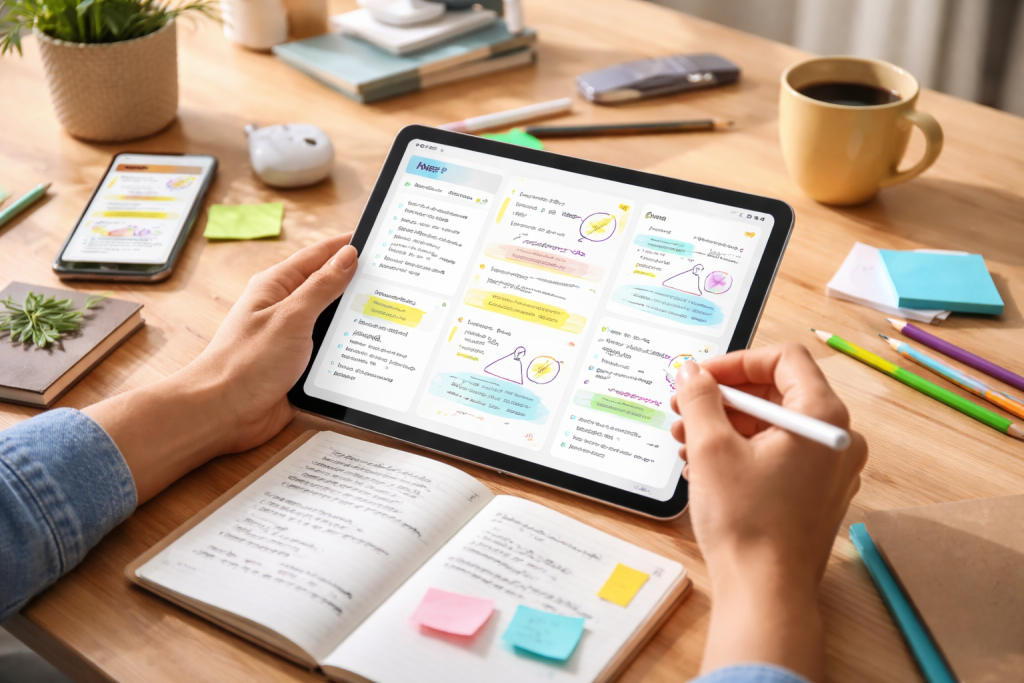
For iPad users, Apple Notes and GoodNotes (or Notability) offer an unparalleled digital inking experience. These apps replicate the natural feel of pen and paper, allowing for expressive handwriting, detailed sketches, and fluid annotations. Features like shape recognition, lasso tools for manipulating elements, and robust PDF annotation capabilities make them perfect for brainstorming visual concepts, sketching out designs, or even simply doodling to stimulate thought. The tactile nature of digital ink remains highly conducive to creative exploration.
Paper by WeTransfer and Concepts: Artistic Freedom in Your Pocket
When the emphasis is purely on the visual, apps like Paper by WeTransfer provide a minimalist yet powerful digital sketchbook. With a focus on intuitive drawing tools, various brushes, and a delightful user interface, Paper strips away distractions to let your visual ideas flow freely. Concepts takes a step further, offering an infinite canvas, vector-based drawing, and advanced layering options, catering to more professional artists and designers who demand precision and flexibility in their visual note-taking and ideation process.
Collecting Inspiration: Crafting Digital Mood Boards and Vision Boards
Inspiration seldom occurs in isolation. Often, it’s a culmination of gathered images, evocative texts, and meaningful observations. Note-taking apps that double as inspiration collectors are invaluable for nurturing a creative mindset.
Pinterest and Milanote: The Digital Vision Boards for Curated Inspiration
Pinterest, while primarily known as a social network, functions as an incredible tool for visual inspiration collection. Its vast database allows you to “pin” images, articles, and videos into categorized boards, creating digital collages of style, theme, or concept. Milanote takes this concept further, offering a free-form workspace where you can visually organize text, images, links, and even files onto an infinite canvas, making it ideal for creating digital mood boards, storyboards, or vision boards for any creative project. These platforms transform passive browsing into active inspiration gathering.
Evernote and Bear: Clipping and Curating Your Creative Universe
For capturing articles, web pages, and textual snippets of inspiration, Evernote and Bear shine. Evernote’s powerful web clipper allows you to save entire articles or specific sections, complete with rich formatting, for later reference. Bear, with its elegant markdown editor and robust tagging system, is perfect for curating collections of quotes, literary passages, or research findings that fuel your creative work. Both applications offer advanced search features, ensuring you always have access to your curated inspiration, ready to ignite the next big idea.
From Thought to Action: Note-Taking Apps for Productivity and Progress
True creativity isn’t just about generating ideas; it’s about seeing them through to fruition. Task management and goal setting, when integrated into your note-taking workflow, transform abstract inspirations into actionable steps, bridging the gap between dreaming and doing.
Todoist and Things 3 (iOS): Integrating Tasks with Creative Concepts
While dedicated task managers, Todoist and Things 3 excel at creating lists, setting deadlines, and organizing projects. Their strength lies in their ability to integrate seamlessly with other applications or by providing enough flexibility within their structure to accommodate creative tasks. You can often link tasks back to specific creative notes or projects, ensuring that the actionable steps derived from your brainstorming sessions are clearly defined and tracked. This integration ensures that your creative breakthroughs don’t just sit as dormant ideas but evolve into concrete plans.
ClickUp and Asana: Project Management for Complex Creative Endeavors
For larger, more complex creative projects that involve multiple stages, team members, and deadlines, comprehensive project management tools like ClickUp and Asana become invaluable. While not primarily note-taking apps, they offer robust features for documenting project requirements, tracking progress, and managing creative assets. Many allow for embedding rich notes, attaching files, and fostering discussions directly within task cards, ensuring that all aspects of a creative venture, from initial concept to final delivery, are meticulously organized and monitored. These platforms turn creative chaos into controlled execution, guiding your imaginative efforts from inception to completion.

Our mission is to assist students, beginners, and professionals in learning more effectively, developing practical skills, and enhancing their confidence in today’s digital world.